

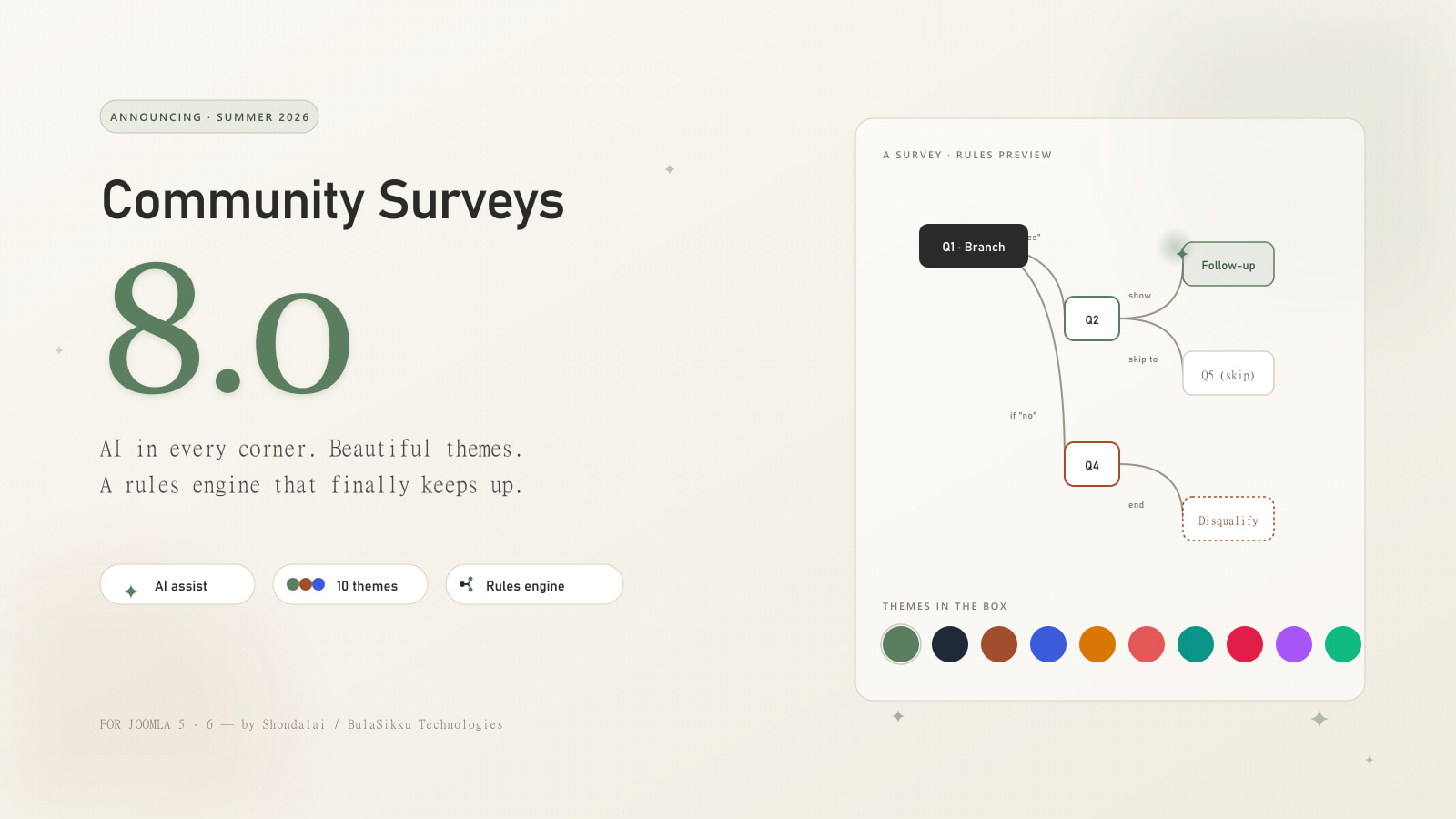
Community Surveys 8.0 is the biggest release we've ever shipped. The component, the modules, the plugins, the public survey, the admin panels, the email templates: all of it has been redesigned with a focus on three things that survey authors keep asking us for. Faster authoring with AI. A look that matches your brand without writing CSS. Rules that go beyond "skip to page 3".
If you've been on v7, the upgrade is automatic and your existing surveys keep working. Here's what's waiting for you on the other side.
AI built into the survey builder
The headline change in v8 is AI assistance everywhere it matters. Not a chatbot tacked onto a sidebar, but a set of focused helpers that show up at exactly the moments you'd otherwise stare at a blank field.
Generate a complete survey from a description
Open the builder, click Build with AI, and describe what you want.
"Onboarding feedback for a SaaS product, twelve to fifteen questions, mix of NPS, multiple-choice, and free text. Cover first-week experience, feature discovery, and support quality."
A few seconds later you get a complete proposal: pages, question types, titles, options, the lot. Every item shows up in a diff-style modal where you can tick which ones to keep, edit the wording before saving, or discard the whole batch and try a different prompt. Nothing reaches your live survey until you say so.
Suggest answer options
Type a question title and click the sparkle button next to the options list. The assistant proposes a set of options based on what you typed.
Question: "What's your primary role?"
Suggestions: Engineer, Designer, Product Manager, Marketing, Sales, Support, Operations, Founder/Executive, Other.
You can accept all, accept some, or write your own. The suggestions are starting points, not commandments.
Suggest grid rows and columns
Matrix and grid questions have always been the most tedious to author. v8 changes that.
Question: "Rate each product on these factors"
Suggested rows: Product A, Product B, Product C Suggested columns: Price, Quality, Ease of use, Customer support, Overall value
One click and the grid is populated. Edit anything that doesn't fit and you're done.
Translate a whole survey into any language
Pick a target language and the assistant rewrites every question, option, description, validation message, and end-of-survey copy in that language. The structure stays intact, so a single survey can serve respondents in multiple languages simultaneously.
This is the same engine that powered the v7 translation feature, but now it works on more than just questions: presets, validation messages, and the new follow-up email template all translate through the same flow.
Translate reusable answer presets
If you've built a country list, a satisfaction scale, or any preset you reuse across surveys, the assistant translates it once and every survey that uses it picks up the translation automatically.
Ten beautiful themes, and a Design tab to make them yours
Survey design has always been the place v7 admins burned the most time. v8 makes it the easy part.
Ten ready-made themes
Browse the new Theming page and pick from ten designs that ship out of the box, each tuned for a different audience:
- Swiss Sage (default): Calm sage with a clean neutral surface
- Ink Slate: Editorial neutral with a deep slate-grey accent
- Terracotta: Warm ochre on cream, gentler for academic research
- Indigo Editorial: Bold indigo on a tight neutral surface
- Marigold Studio: Energetic amber for product feedback
- Coral Bloom: Soft coral on a warm surface, friendly and inviting
- Pacific Mist: Calm teal, suited to healthcare and wellness
- Carbon Pro: Sharp crimson on a tight neutral surface, power-user dense
- Midnight Plum: Premium violet on a warm surface, luxury brand feel
- Forest Lab: Emerald with generous radii, modern product feel
Each one is fully developed: typography pairings, colour relationships, spacing rhythm, corner radius, dark-mode behaviour. You can use any of them as-is.
The new Design tab
Every survey now has its own Design tab in the builder. Pick a base theme, then customise it for that specific survey without touching the theme itself:
- Accent colour picker
- Font pairing picker (Inter Tight, Geist, Instrument Serif, Söhne, and more)
- Corner radius slider, from crisp to soft
- Density toggle (compact, medium, airy)
- Surface tone (neutral or warm)
- Custom CSS for the one edge case where you need it
A live preview on the right shows the result while you tweak. Save and the public survey picks up the new look immediately.
A rules engine that actually does what you want
The "Conditional Rules" feature in v7 covered the basics: show, hide, skip to page, end. v8 turns that into a proper engine with fourteen action types covering every survey workflow we've seen in customer requests. Here's a tour of what you can now do.
Pre-fill answers from URLs, earlier answers, or the user profile
Open a question's Advanced tab and add one or more Pre-fill sources:
- URL parameter lets you pass ?campaign=summer2026 and have it populate the matching question.
- Earlier answer copies a value from another question in the same survey ("you said your name is Alice, please confirm").
- Contact field reads from the signed-in Joomla user's profile (name, email, username, id).
Sources try in order, first non-empty wins. Respondents can always overtype the pre-filled value, but for most fields they won't need to.
Pipe answers into later questions
The classic merge-tag pattern, now syntactically friendly. Type {{q3.label}} into a later question's title, description, option label, or email, and the respondent's earlier answer flows through. With a fallback you never show an awkward empty placeholder: {{first_name|there}} renders "there" if the respondent hasn't told you their name yet.
Carry options forward
Show in question six only the options the respondent picked in question four. Or hide them, for a "what didn't you mention?" variant. Composes cleanly with quota caps in the same render pass.
Randomise option order, with pins
Each respondent sees the options in a stable random order, so reloads and resume-from-email don't surprise them. Different respondents see different orders, eliminating order bias. Pin "Other" or "Prefer not to say" as always last so it doesn't get lost in the shuffle.
Cap an option to N respondents
"Pick a workshop time slot." Once 20 people pick 9am, the option disappears for everyone else. If two people race for the last slot, the server picks a winner and asks the other to choose again. No double-booking, no manual cleanup.
Jump to named sections
Page jumps used to break the moment you reordered pages. Now every page has a stable slug (eligibility, thank-you-promoter) that rules target. Move pages around and your rules keep pointing at the right place.
Run A/B experiments
Half your respondents see flow A, half see flow B. Or split three ways. The assignment is stable per respondent (resuming from email lands them on the same flow) and resolves the same way on the server, so analytics stays consistent.
Disqualify with a reason
When a screening rule ends the survey early, the reason you wrote shows up on the response list as a "Disqualified" badge, in the response detail as a callout, and in the CSV export as a dedicated column. No more guessing why a respondent didn't finish.
Score and segment respondents
Build a points formula visually: pick a question, multiply it, add another question, divide by a literal. Save as a named score. Then bucket the score into named segments ("0-6 detractor, 7-8 passive, 9-10 promoter") and the response inherits the tags. Segments become filters in Analytics, and later rules can branch on them.
Validate across fields
"End date must be after start date." "Allocations must total 100%." Build the predicate visually from two operands and a comparator. The check runs in the browser for instant feedback and runs again on the server so it can't be skipped.
Make a question required only when needed
A "please explain" field becomes mandatory only when the answer to a prior question matches. No more permanently-required follow-ups that 90% of respondents have to skip past.
Tag responses
Auto-apply short labels (vip, churn-risk, enterprise-detractor) when conditions match. Filter on them in Analytics.
Notify Slack, webhooks, or any email address
When an NPS detractor submits, ping #cs-escalations with the response details. When a VIP completes a survey, post to a webhook that creates a ticket. Pipe respondent answers into the alert ("{{q_5_email}} rated us a 3"). Slack messages use Block Kit and look good in the channel.
Queue a follow-up survey
When a power user finishes a feedback survey, send them an invitation to a deeper survey, automatically. The follow-up uses a dedicated email template (more on that below) so the recipient sees a continuation, not a generic broadcast.
Auto-close the survey
"Stop accepting responses once we hit 500." "Close after business hours." A single rule does it.
Schedule, locale, and device gating
Every rule's condition can also check the current context: time of day, day of week, deadline date, respondent's language and country, device class (mobile, tablet, desktop), and response-quality flags (speeder, straight-liner, honeypot trip, IP throttle).
Beautiful emails, finally
The email side of v7 worked, but the templates looked dated and editing them meant hunting through HTML. v8 fixes both.
A redesigned template system
Every email now flows through a shared base wrapper with your logo, primary colour, and footer wired in automatically. The output renders well in Gmail, Outlook (including the older Outlook clients with VML fallbacks for the call-to-action button), Apple Mail, and every major webmail provider we tested against.
A dedicated Email templates screen
The admin now has a Email templates screen that lists every email the component can send:
- Invitation
- Invitation reminder
- Response thank-you
- New response (to author)
- New survey (to site admin)
- Survey created (to author)
- Survey published (broadcast)
- Survey closed (results summary)
- Follow-up survey invitation (new in v8, used by the follow-up rule)
For each template you can see the shipped default and the current effective output side by side, edit subject and body, browse the variables in a picker above the editor, use Handlebars-style conditionals for sections that only render in some cases, preview with example data, and revert if your override doesn't pan out.
Brand variables ({{site_name}}, {{primary_color}}, {{email_logo_html}}, {{footer_text}}) compute once per send so every template stays consistent with your settings.
A Thank-you page worth landing on
The last screen a respondent sees is the easiest one to get right and the easiest one to get wrong. v8 gives the Thank-you page its own builder tab and three modes to pick from.
Three modes
- Message. A clean confirmation page with your headline, body, and a call-to-action. The simplest case.
- User answers. A recap of every answer the respondent gave. Useful for forms that double as agreements or applications.
- Consolidated report. A live aggregate showing how everyone's responses add up so far. Useful for polls and "live results" surveys. Access is gated by a one-shot key issued at submit time, so the URL can't be scraped.
Full customisation
Inside the Thanks tab you can author every part of the page:
- Eyebrow (the small label above the headline) and headline copy
- Body in auto mode (use the survey's thank-you message), custom mode (your own HTML), or hidden
- "What's next" chips with icons (check, calendar, mail, lock, share, sparkles, clock, users) and a short line of text per chip
- Back-to-survey and Share button labels
- Toggles for the badge, response stats, what's-next section, action buttons, share buttons, and trust footer
Different surveys can end with different post-submit experiences. A feedback survey can end with a thank-you message and a CTA. A poll can end with the live report. An application form can end with the recap. All from the same builder tab.
Two ways to author rules, side by side
The builder ships with two authoring surfaces for rules, and they share the same underlying data:
- The Flow tab is a visual graph. Each question card shows its outgoing rules as a fan of labelled exits ("if = Yes, go to Q5", "if NPS ≤ 6, end with message"). Click any exit to open an inline editor.
- The Logic tab on a selected question is a compact list. Scroll, edit, save. Faster when you know exactly which question's rules you want to tweak.
Switch between them freely. Both edit the same rules, both show the same authoring controls. Whichever fits your brain that day is the right one.
Built-in protection against bots and bad responses
Three layers of anti-spam and quality protection ship in v8, all configurable per survey and all surfaced through the same rule system you use for everything else.
- Honeypot field rendered invisibly. Bots fill it; humans never see it. Flagged on the response when it arrives populated.
- Minimum completion time. Responses faster than your threshold get flagged as speeders.
- IP throttle. When the same IP submits more than ten responses to the same survey within an hour, the extras get flagged.
- Straight-line detection for matrix questions. Same column on every row flags the response.
By default these flag responses but don't reject them, so you keep the data for analysis. If you want hard rejection on top, a single rule does it: "When $quality.honeypot = 1, end the survey with a polite message."
A faster, friendlier admin
Plenty of UX polish landed in v8 even outside the big features:
- Survey list now shows a sparkline of recent activity, a status badge, the response counter, and a one-click chart button that jumps straight to that survey's Analytics.
- Responses screen has a "Disqualified" badge variant for end-rule responses and surfaces the reason in a callout in the detail panel.
- CSV export carries the new end_reason column and a disqualified status value so analysts can filter early-termination respondents into their own cohort.
- Cold-load polish. Opening the admin no longer flashes a black panel before the page paints. The mount area picks up your colour mode (light, dark, or auto) from the start.
Five integrations, one consistent setup
The Integrations screen has been redesigned around a marketplace pattern. Browse adapters, configure with a wizard, see what fired in an Activity log:
- Webhook. Generic JSON POST to any URL, with optional HMAC-SHA256 signing so receivers can verify each payload really came from your site.
- Slack. Block Kit messages via incoming webhook URL or bot token.
- Google Sheets. OAuth2 sign-in, sheet picker, automatic header sync, per-field mapping.
- AcyMailing. Add respondents to a list when a rule fires.
- Email Notification (new in v8). Free-form transactional email to any address, including respondent-supplied addresses via pipe placeholders.
Failed deliveries retry automatically with exponential back-off. The Activity tab shows every attempt with its outcome.
Compatibility and upgrade
- Joomla 5.0+ or 6.0+ (unchanged from v7)
- PHP 8.1+ (unchanged from v7)
- MySQL 5.7+ or MariaDB 10.3+ (unchanged from v7)
- Shondalai Core Library 1.0+ (a one-time install, bundled with the package)
To upgrade:
- Back up your site (always).
- Install the v8 package over your current install.
- Open the component once. The database upgrade runs automatically.
- Open your existing surveys and verify everything looks right.
Your existing surveys, questions, rules, responses, contacts, invitations, and integrations are all preserved. Legacy conditional rules from v7 are translated to the new format on first read. Nothing in your data needs to change.
Get started today
Community Surveys 8.0 is available now.
Download Community Surveys 8.0 →
Questions? Hit us up on the support forum or drop a note via the contact form. We read everything.